Server Tags
Please note that Server Tags are applied to your server & official servers automatically, and cannot be turned off
Server Tags appear in the server list, loading screens, and welcome screen. They’re linked to the monuments on your server, and certain gameplay settings.
Server List
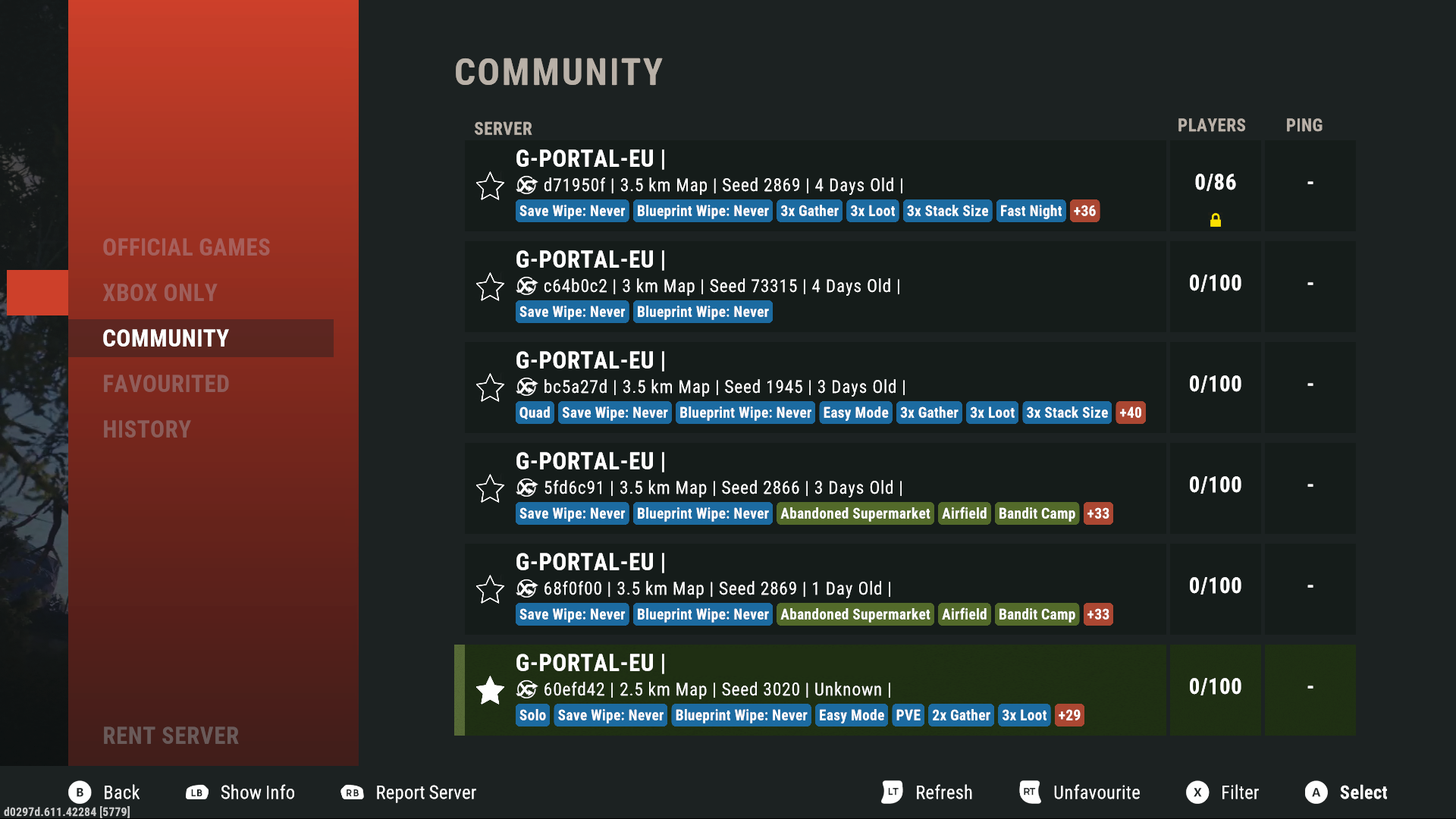
You can view all of a server’s tags by pressing L1/LB (Show Info).
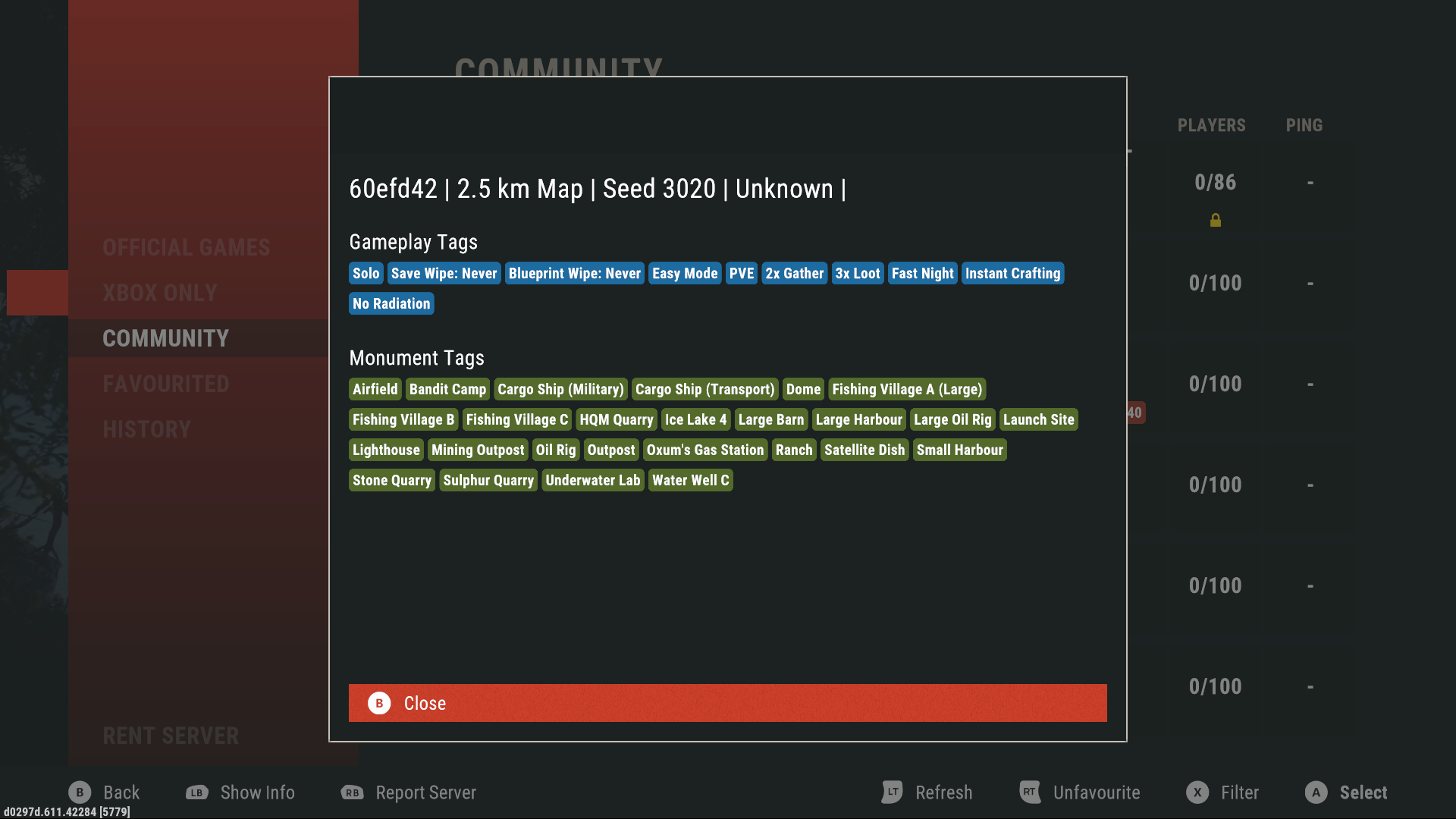
Tag Filtering
You can now filter servers by their tags. This can be accessed by opening the existing Filter Menu and pressing SQUARE/X to switch to the Tag Filters.
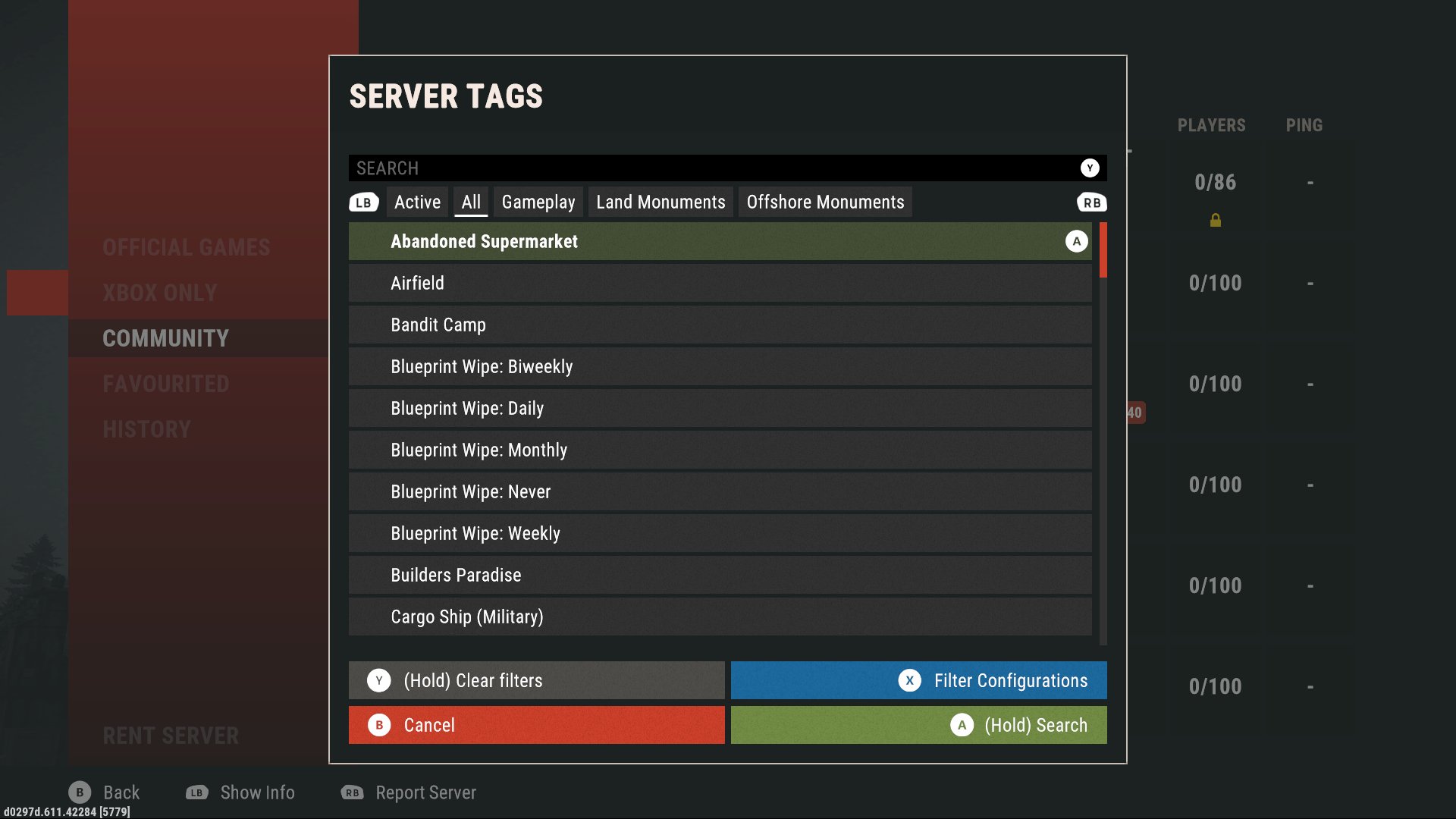
Tags are categorized into Gameplay, Land Monuments, and Offshore Monuments sections for ease of navigation. Currently selected tags appear in the Active section, and you can search for tags to select by pressing TRIANGLE/Y.
Please note that searching for the Gather/Loot/Stack Size Scale tags will show all servers where the value is greater than 1
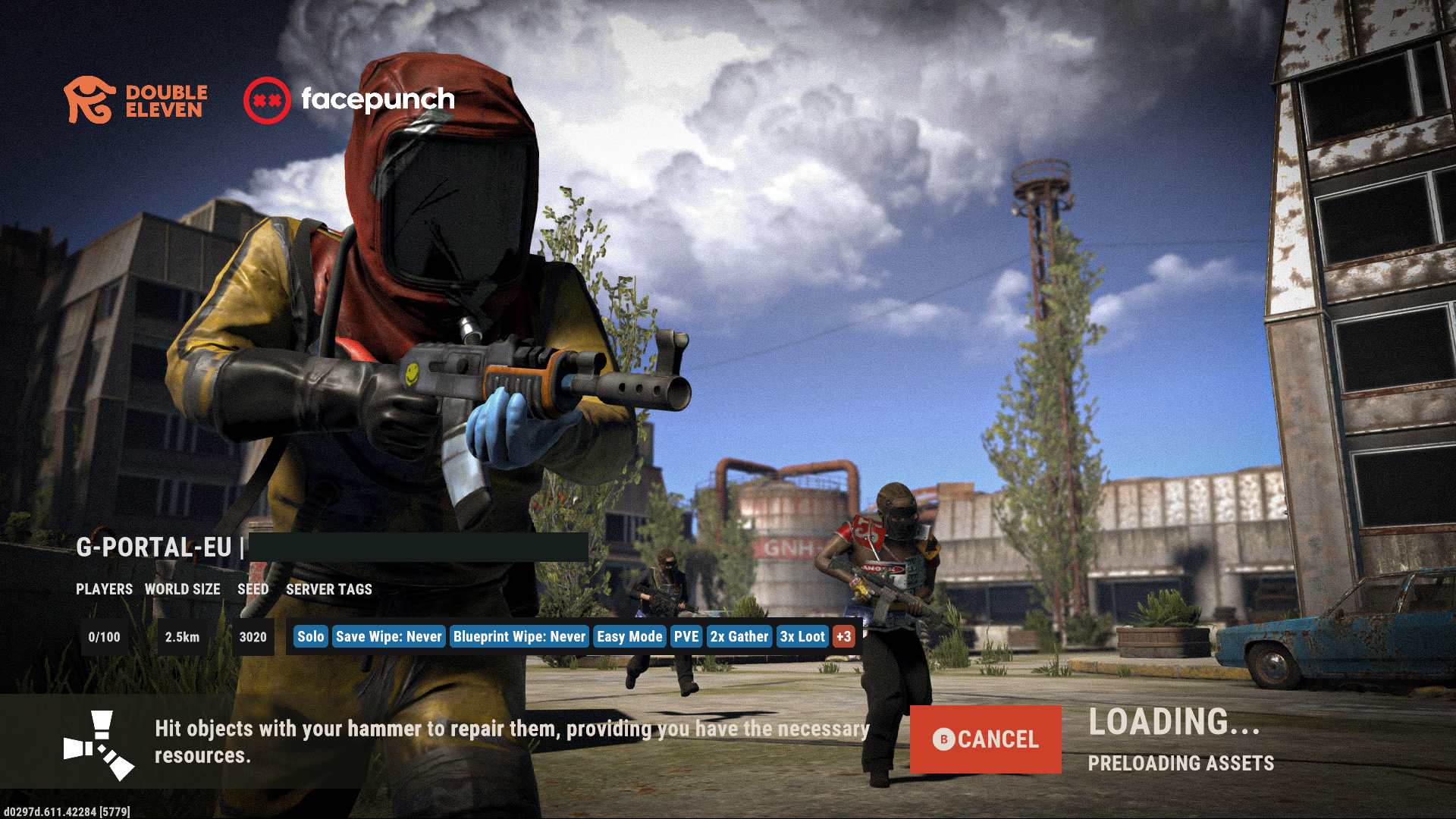
Loading Screen
Welcome Screen
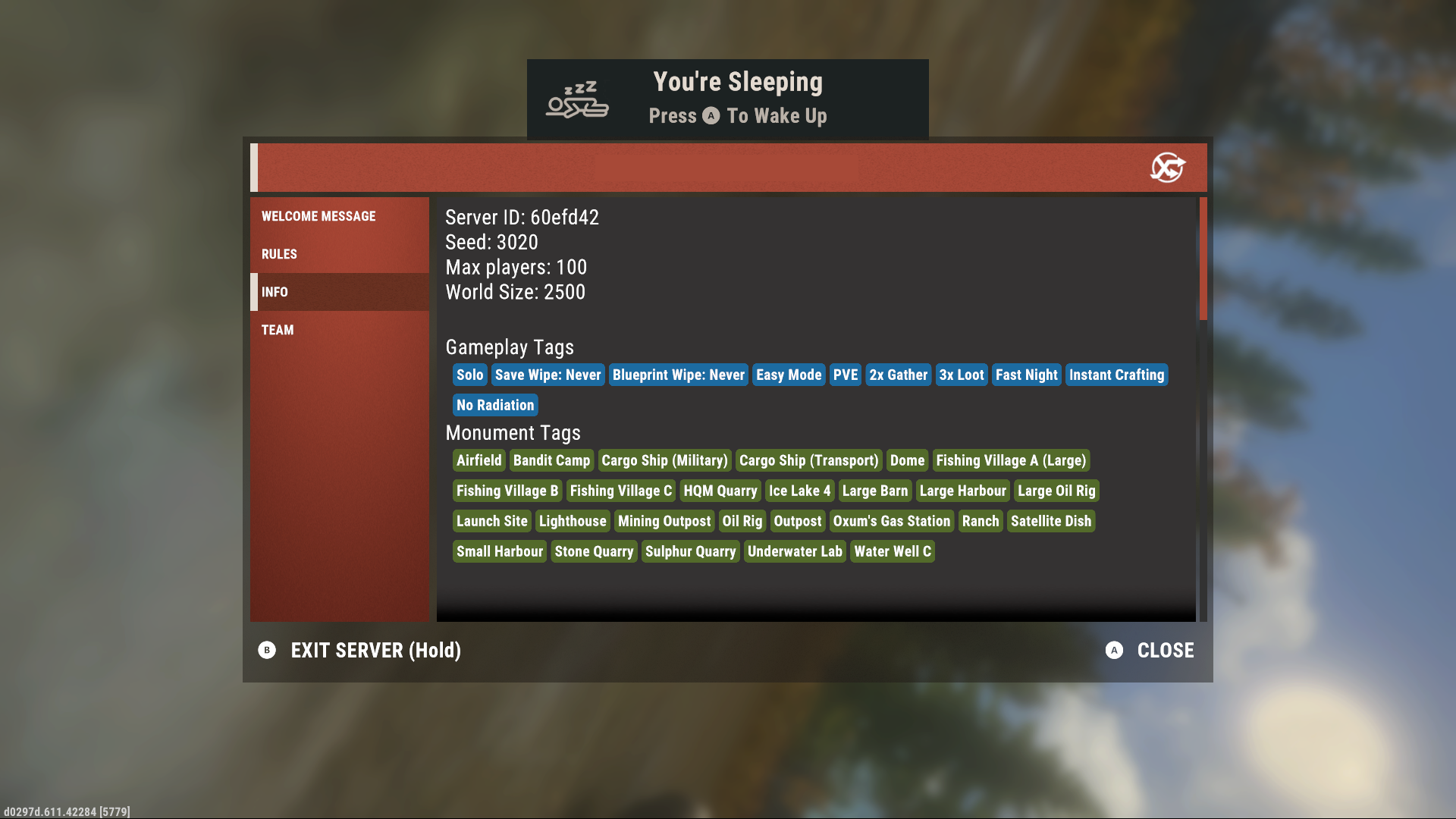
Gameplay Tags
Gameplay Tags are blue, appear first in the list of tags, and are the only tags that appear in loading screens.
The following is a list of every Gameplay Tag and the setting that causes it to be applied to your server, in the same order they appear in game:
The “Official” Tag can only appear on servers in the Official Games tab of the server list
| Tag | Command | Value |
|---|---|---|
| Official | N/A | N/A |
| Solo/Duo/Trio/Quad | relationshipmanager.maxteamsize or Max Team Size setting | 1 | 2 | 3 | 4 |
|
Save Wipe: Never Save Wipe: Daily Save Wipe: Weekly Save Wipe: Biweekly Save Wipe: Monthly | Your GPORTAL | NITRADO save wipe schedule setting | N/A |
|
Blueprint Wipe: Never Blueprint Wipe: Daily Blueprint Wipe: Weekly Blueprint Wipe: Biweekly Blueprint Wipe: Monthly | Your GPORTAL | NITRADO blueprint wipe schedule setting | N/A |
| PvE | allowpvbdamage and allowpvpdamage or PVP & PVB toggles | 0 | OFF |
| Immortal Server | server.immortalserver or Immortal Server toggle | 1 | ON |
| Builders Paradise | server.d11buildtest or Enable Builder's Paradise Items toggle | 1 | ON |
| Target Practice | server.d11guntest or Enable Target Practice Items toggle | 1 | ON |
| Easy Mode | server.gamemode or Game Mode option | softcore/Easy Mode |
| Hard Mode | server.gamemode or Game Mode option | hardcore/Hard Mode |
| 2/3x Loot | server.d11lootscale or Loot Scale option | 2 | 3 |
| 2/3x Gather | server.d11gatherscale or Gather Scale option | 2 | 3 |
| 2/3x Stack Size | global.stackablesizescale or Stackable Size Scale option | 2 | 3 |
| Free Crafting | craft.freecrafting or Free Crafting toggle | 1 | ON |
| Instant Crafting | craft.instantcrafting or Instant Crafting toggle | 1 | ON |
| Free Upgrading | construct.freeupgrading or Free Upgrading toggle | 1 | ON |
| Free Construction | construct.freeconstruction or Free Construction toggle | 1 | ON |
| No Radiation | server.radiation or Radiation toggle | 0 | OFF |
| No Decay | decay.upkeep or Decay Upkeep toggle | 0 | OFF |
| Fast Night | time.nightlength or Night Length option | <5 |
| Whitelist | server.enablewhitelist or Enable Whitelist toggle | 1 | ON |
Monument Tags
Monument Tags are green, appear after Gameplay Tags in the list of tags, and do not appear in loading screens. They are linked to the monuments that are on your map currently.
Remember that even if you select a monument to spawn, it might not spawn on your map, as maps are procedurally generated and random.